
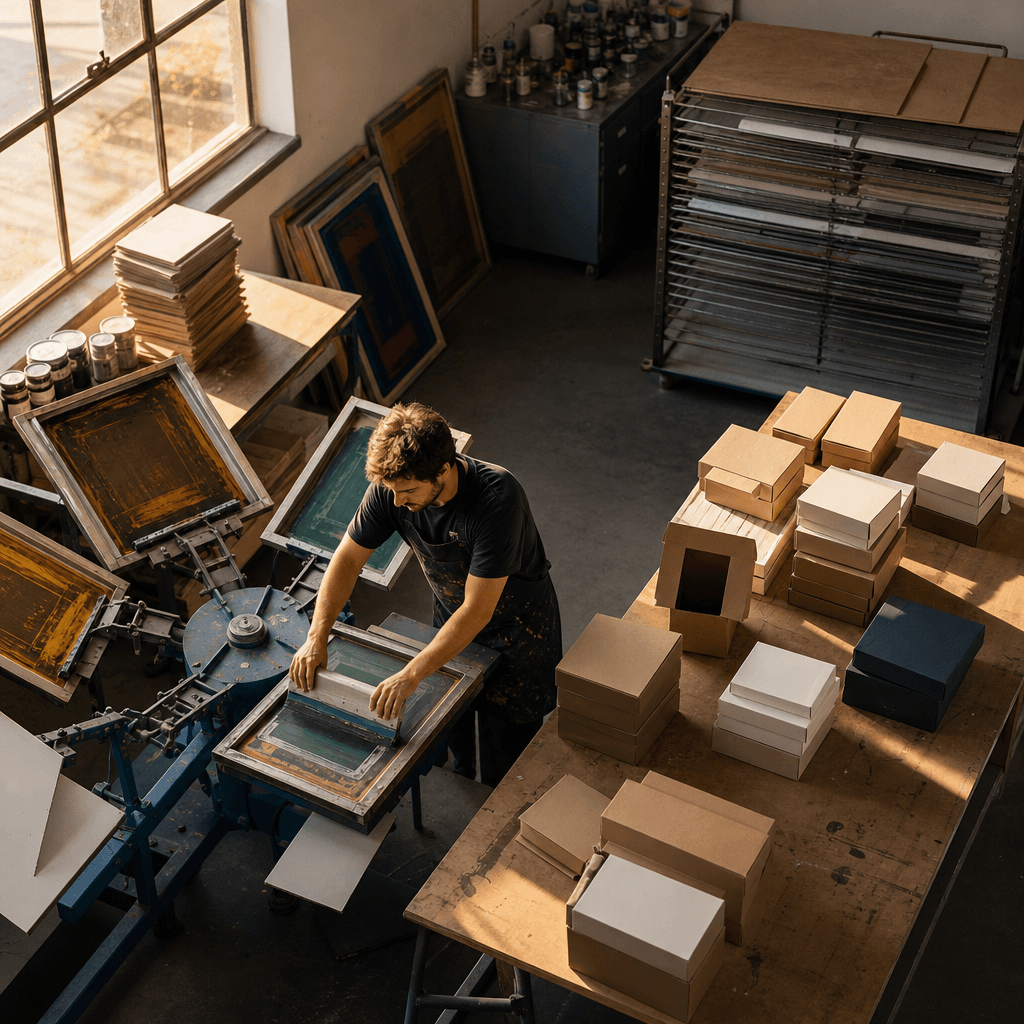
When you ask what screen printing is, the shortest answer is this: it is a printing method in which ink is transferred onto paper, cardboard, fabric, glass, wood, plastic, or metal surfaces by passing it through the open mesh of a screen stretched over a frame with the help of a squeegee. Areas that will not be printed are covered with a stencil, film, or light-sensitive emulsion. For brands considering this technique in packaging projects, the real question is not "is screen printing good?" but whether screen printing will deliver a controlled result for that design, surface, number of colors, and quantity. In this guide we explain how the method works, how it is applied, and how to make the right printing decision in packaging.
As a service, we don't think about the printing technique independently of the box structure; because we plan design, sampling, production, and logistics together, we also treat the screen printing decision as part of the packaging system.
Screen printing is the transfer of ink from the open mesh of a screen onto the printing surface using a squeegee. A separate screen or printing plate is prepared for each color. For this reason it can be advantageous for low-color, bold, and distinct graphics; for multi-color photographic images, however, offset or digital printing may be more suitable.
Contents
How does screen printing work?
At the heart of the method lies a controlled transfer between four components: the screen, the stencil, the ink, and the squeegee. The screen stretched over the frame is a porous surface through which ink can pass. The parts of the design that will not be printed are covered, while the areas to be printed are left open. When the squeegee is drawn across the screen at a certain angle, pressure, and motion, the ink passes only through the open areas and reaches the surface below.
This mechanism distinguishes screen printing from classic stamping and from direct inkjet printing. The amount of ink reaching the surface is not fixed; it varies depending on the screen mesh density, the viscosity of the ink, the squeegee pressure, the drawing speed, and the absorbency of the surface. In other words, the same design can produce different color intensity and edge sharpness with different settings.
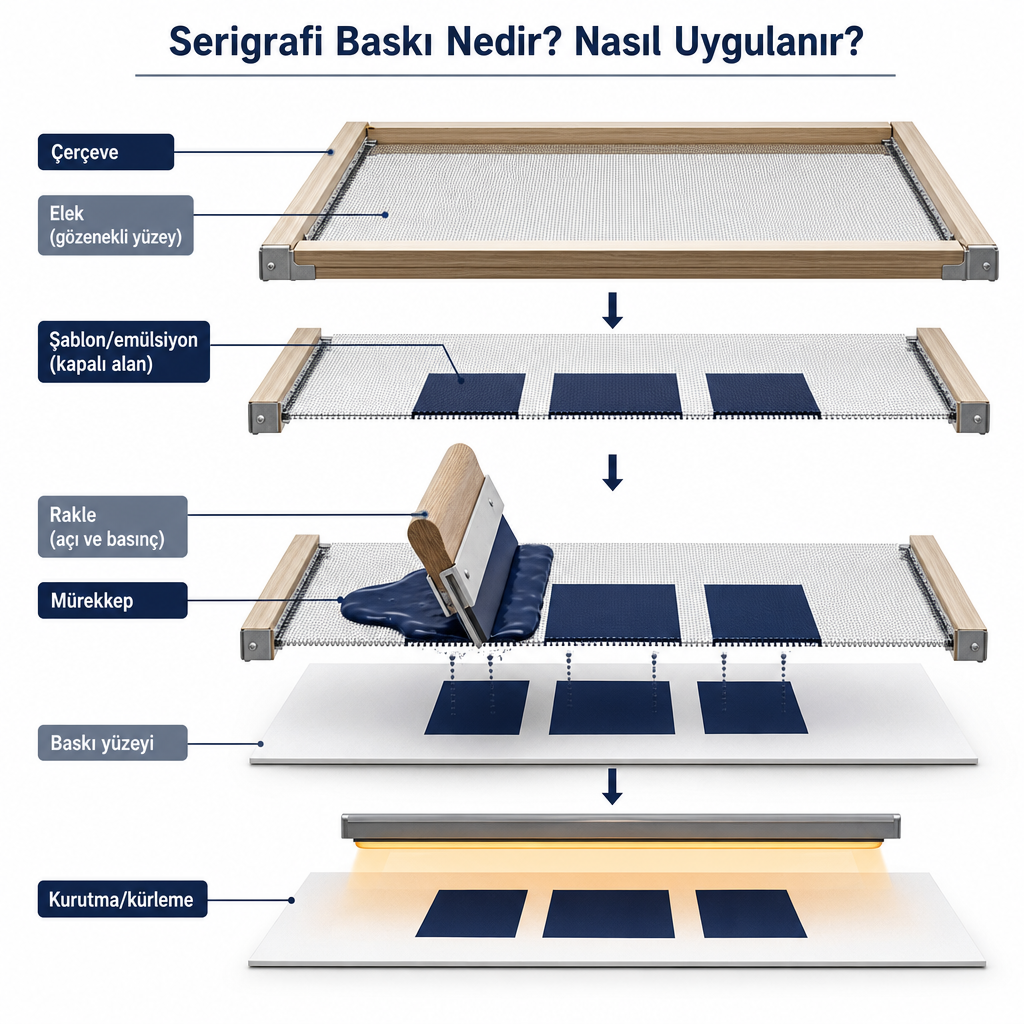
Seeing the components along with their functions makes it easier to understand the subsequent application steps:
| Component | Function |
|---|---|
| Frame | Holds the screen taut and in place. |
| Screen | The porous surface that controls the passage of ink. |
| Stencil or emulsion | Covers the areas that will not be printed. |
| Ink | The printing material that transfers the design onto the surface. |
| Squeegee | Presses the ink across the screen so it passes through the open areas. |
| Drying/curing | Ensures the print adheres to the surface and is durable. |
Screen printing can be applied to various surfaces such as paper, cardboard, glass, wood, plastic, and electronic circuits, and even to cylindrical products (Britannica).
How is screen printing applied?
Screen printing requires preparing a printing plate before the design is transferred onto the surface. The scope of the application varies depending on whether the printing is done manually, with a semi-automatic, or an automatic system. There are five critical stages of the process that determine packaging quality.
Preparing the design and print file. First, the position of the graphic to be printed on the surface is determined. If more than one color will be used, the colors are separated into layers; because a separate printing plate may be needed for each color. At this stage, it is checked that lines and text are thick enough for printing, that very small details can be produced with the screen and ink, that bleed and safe areas are correct, and that the colors register properly with one another. In packaging, a print file is not merely a visual exercise; it must be evaluated together with cut lines, fold zones, glue tabs, and surface properties. To examine this relationship in detail, you can look at our box graphics and packaging design guide.
Preparing the screen, frame, and stencil. The screen is stretched over a wooden or metal frame. The mesh density affects the detail level of the print and the amount of ink to be transferred: looser screens transfer more ink, while finer screens help print fine details in a more controlled way. Insufficient screen tension can cause the print to blur or the colors not to register exactly on top of one another. The stencil is created by covering the areas that will not be printed; in professional applications the screen is coated with a light-sensitive layer and the design is exposed via a positive film (Britannica). When fine text and repeatable quality are involved, the controlled emulsion method gives more reliable results.
Selecting the ink. The same design may not yield the same result with the same ink on cardboard, fabric, plastic, glass, or metal. In the selection, the type and absorbency of the surface, whether the color is opaque or transparent, resistance to friction and moisture, curing conditions, and the possibility of contact with the product are evaluated. In packaging, it is not enough for the ink to look good; how it behaves at fold and friction points also matters.
Transferring the ink with the squeegee. The ink is placed on the screen, the squeegee is drawn in a controlled manner, and the ink passes onto the surface through the areas left open by the stencil. The print result is determined together by squeegee pressure, squeegee angle, drawing speed, screen tension, ink density, and the distance between the surface and the screen. A change in any of these parameters creates a difference in color intensity and edge sharpness.
Drying and curing when necessary. After printing, drying or, depending on the ink type, curing is applied so the ink adheres. A surface looking dry does not mean the print is fully durable. Insufficient drying can cause sticking together, smudging, scratching, and color transfer.
On which surfaces is screen printing used?
The flexibility of screen printing in packaging and promotional production comes from its applicability to different materials. However, every surface changes the ink, screen, and drying decision from the start.
| Surface | Typical use examples |
|---|---|
| Paper and cardboard | Labels, cards, invitations, boxes, and custom packaging details |
| Fabric | Tote bags, textiles, and promotional products |
| Glass | Bottles, jars, and decorative glass products |
| Plastic | Packaging parts, caps, and promotional products |
| Wood | Boxes, decorative products, and signs |
| Metal | Metal boxes, sheets, and industrial parts |
| Cylindrical surfaces | Bottles, tubes, and similar products |
When deciding on cardboard or paperboard surfaces, whether the material is coated or uncoated, the surface texture, how the box folds, and whether the printing is applied before or after cutting are decisive factors. Absorbent surfaces like uncoated kraft hold ink differently; if you want to examine the properties of this surface, you can benefit from our what is kraft paper guide. In packaging produced by folding, the relationship of the print to the fold line becomes critical; our folding box use cases guide clarifies this structural context.
Advantages and limitations of screen printing
To make the screen printing decision confidently, you need to see where the method is strong and where it is risky together.
Its strengths are clear: Because screen printing can transfer a relatively thick layer of ink onto the surface, it can create dense and opaque colors; when a light-colored logo or text is needed on a dark surface, this is a distinct advantage. It can be applied to different materials, can give tactile effects that can be felt on the surface, and delivers efficient results in logos, icons, and typographic designs made up of one or a few colors. For this reason it is often considered in premium packaging for highlighting a logo or a short message.
Its limitations, on the other hand, should shape the project at an early stage:
- Production becomes complicated with multi-color visuals. A separate screen and print pass may be needed for each color; as the number of colors increases, plate preparation time, color registration precision, waste risk, and total cost rise. For photographs, gradients, and fine color transitions, offset or digital printing is more suitable.
- Fine details can be lost. Very small point sizes, thin lines, and dense halftones may appear different from expected in print depending on the screen-ink-surface combination.
- Color consistency must be checked separately. Color can vary depending on the ink formula, print thickness, surface color, and drying conditions. If the brand color is critical, the digital screen view should not be relied upon.
- Folding and friction problems can arise. If the print is very close to fold lines, cracking may occur; ink adhesion should be tested on coated surfaces.
- An inappropriate ink choice creates functional problems. Ink that doesn't suit the surface leads to peeling, smudging, or color transfer; in packaging that may come into contact with cosmetics, food, or skin, suitability must be additionally verified.
Most of these risks are managed in a single step: before going into production, a physical color proof, the clarity of the logo and small text, print registration, color change after drying, and fold durability should be checked.
Screen printing, offset, or digital printing?
The right question is not "which method is higher quality?" but "which method delivers a more controlled result for this design, surface, quantity, and intended use?" The comparison below separates the three techniques according to decision criteria.
| Decision criterion | Screen printing | Offset printing | Digital printing |
|---|---|---|---|
| Area where it is strongest | Opaque color, thick ink, special surface effect | High detail, multi-color graphics, high print runs | Low-to-medium runs, variable data, fast revisions |
| Suitable design | Logos, typography, limited color | Photographs, gradients, detailed graphics | Personalized or frequently changing design |
| Plate requirement | Usually present | Present | Usually absent |
| As the number of colors increases | Preparation and registration become harder | Can be efficient depending on production setup | Flexible according to the file |
| Surface options | Can be very wide | Strong on paper and cardboard | Various surfaces on suitable machines |
The screen printing decision should not be made on its own; it must be addressed together with the box material, graphic density, surface treatments, and production quantity. In practice, a premium package that wants to highlight a low-color, strong brand mark with a tactile effect leans toward screen printing; a multi-color photographic cover design or a small-batch personalized job, on the other hand, leans toward offset or digital.
How do you make the screen printing decision in packaging?
As a service, we start every printing project with the same questions. Being able to answer these seven questions clearly largely determines whether screen printing is right for you:
- What surface will be printed on? Coated cardboard, kraft, paperboard, fabric, glass, or plastic hold ink differently; the technique should not be chosen before the surface is determined.
- How many colors does the design contain? Screen printing can be efficient for a strong one- or two-color logo; for intense gradients and multi-color work, the techniques should be compared through samples.
- How durable does the print need to be? Shelf, shipping, and hand carrying change the expectation of resistance to friction, moisture, and folding.
- How critical is the brand color? If the color needs to be precisely maintained, the color standard, physical proof, and production tolerances should be determined in advance.
- Which part of the box will be printed? The lid, side surface, base, fold line, and glue area should be examined separately; overlapping with structural lines creates quality problems.
- What is the production quantity and repeat frequency? Plate preparation and setup time affect the unit cost very differently for a low-quantity batch versus a high-volume ongoing job.
- Has a physical sample been seen? A screen view does not fully show the real appearance of screen printing; especially on kraft, textured, or dark material, a sample is the safest path.
In custom-printed packaging projects, because we carry out structural design, graphic preparation, prototyping, production management, and logistics processes together, we do not leave the printing technique as a decision separate from the box structure. In printed cardboard boxes, we can evaluate the printing, coating, and surface options within the project scope and compare the decision between screen printing, offset, or digital based on sample and production criteria.
To speed up the quotation process, it is enough to share in your brief the product type and dimensions, box or packaging type, the surface to be printed, the design file and color information, the number of print colors, the estimated order quantity, usage and handling conditions, the desired surface appearance, sampling expectations, and the delivery location along with the target date. This information clarifies more quickly whether your brand needs screen printing or a different surface application.
Frequently Asked Questions
Can screen printing be done on a box?
Yes, screen printing can be considered on cardboard or paperboard packaging. However, the box's surface, coating, fold lines, print area, and production quantity must be suitable.
Is a separate plate required for each color in screen printing?
Usually yes. In multi-color work, a separate screen or printing plate is prepared for each color, and the colors must be registered correctly.
Which is better, screen printing or digital printing?
There is no single right answer. Screen printing can be advantageous for opaque color, thick ink, and special surface effects; digital printing is more flexible for low-to-medium runs, personalization, and fast design changes.
Is screen printing durable?
It can be durable when the right surface, ink, and drying conditions are provided. Durability should be tested according to the friction, moisture, light, and folding effects the print is exposed to.
Is a sample necessary for screen printing?
Especially in premium packaging, a physical sample is recommended. A sample allows the color, print density, surface adhesion, folding effect, and design registration to be checked.